
Wheres’ the old Avatars?
Larry said he missed the avatars that used to show up on GrammaLei with your comments, I found them, they didn’t go anywhere, but I did have to do some tweaking.
[authoravatars hiddenusers=admin, authoravatars avatar_size=50, show_name=true, link_to_authorpage=false]
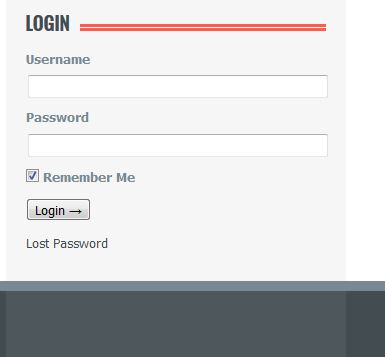
To use them a person would login – I have changed the login here to be like Facebook’s – when you login the “Remember Me” box is checked by default and you will be logged in forever, just like Facebook’s, so once you login to GrammaLei on a computer, you will always be logged in on that computer and when you comment, you will no longer have to put in your name and email, and your avatar will show up.
UPDATE: Come to find out, users don’t have to log in to comment, if the email address is the same as the one on file inside GrammaLei, the avatar shows up automagically, it is even doing it retroactively, of course you would login to update your profile pic.
Log In
The login in box is at the bottom of the right column.
To change your profile pic:
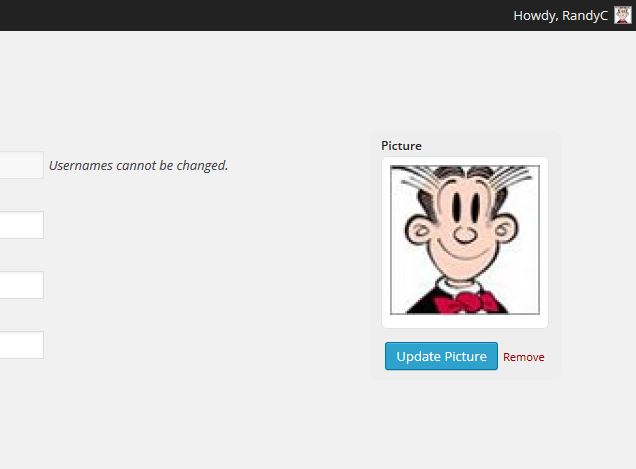
Once you are logged in – the upper right corner of the screen will say Howdy, YOURNAME – if you click you see:

Edit My Profile
If you click “Edit My Profile” you will be see a “Upload Picture” box on the upper right portion of the screen:
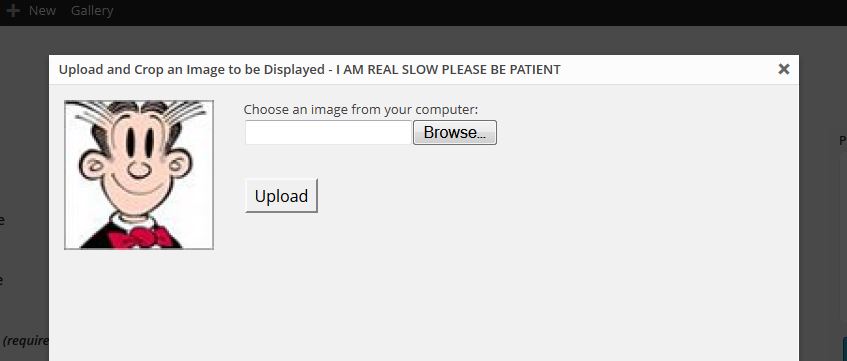
Note the message in the popup when you click to upload – “I AM REAL SLOW PLEASE BE PATIENT”
Crop Image
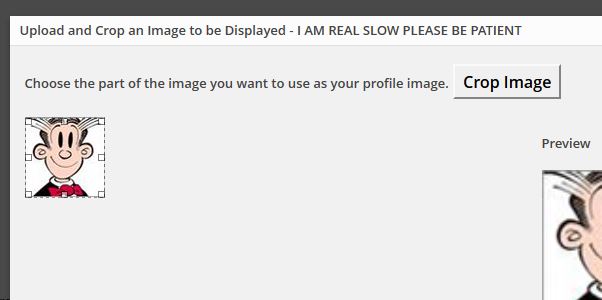
When your happy click click “Crop Image”
NOTE: When you close the uploader your new image will not appear until you move to a new page :o)
Thank you Larry for pushing me to figure out how to get this working! 
oh wow, now i will be infamous. everyone will know im to blame for getting the old avatars back. but im happy you managed to get this accomplished. thanks, Randy.
You should upload a new profile pic and tell me how it works :o)
Your not the only one who’s glad the avatars are back. My Aunt Joan was really glad to see them back too.
I added an update on this post, you don’t have to be logged in when you comment, who knew?